
A website that works as hard as you do.
Your website is your hardest-working salesperson. It is open 24 hours a day, it talks to every visitor, and for many customers it is their very first impression of your business. Yet many small business websites are slow, confusing or out of date — and quietly lose customers every day.
Here are the 12 small business website design essentials every site needs in 2026.
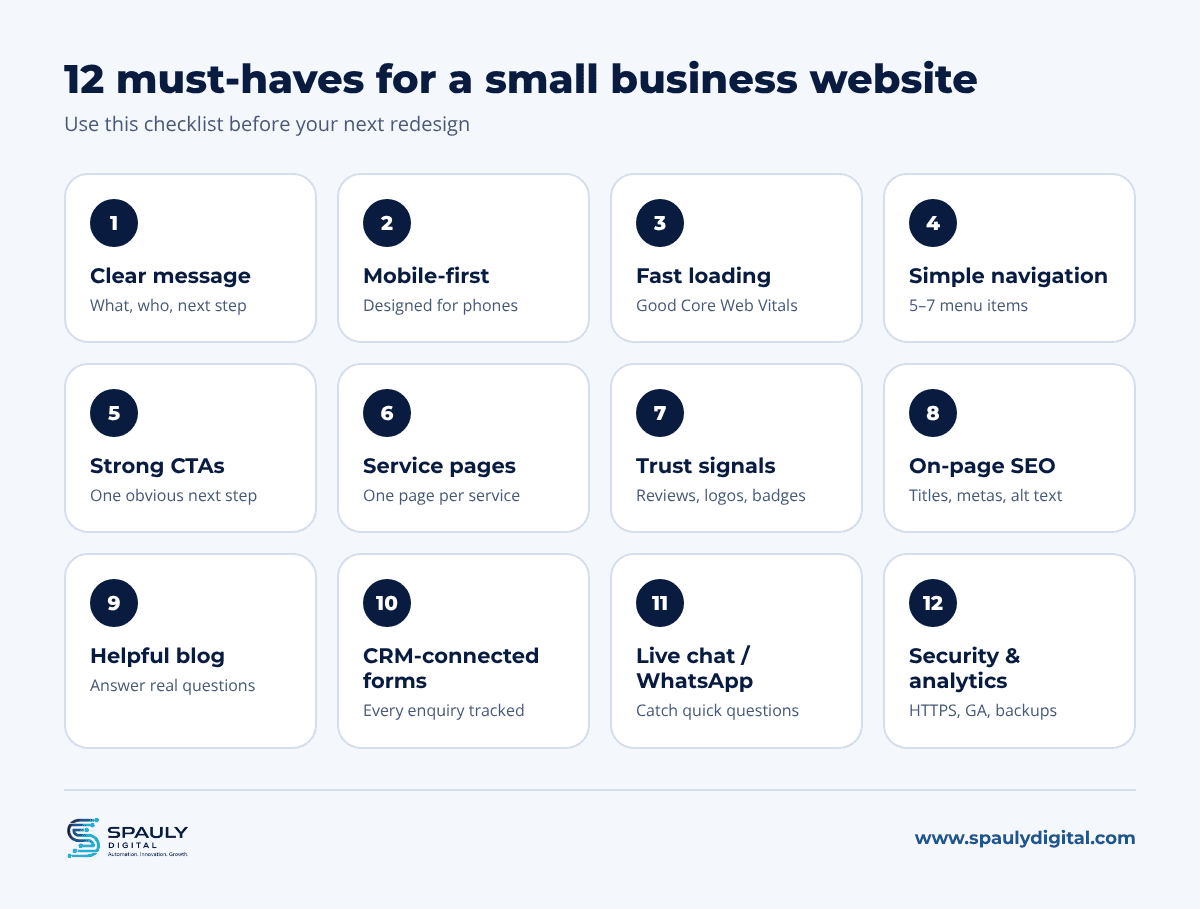
1. A clear message above the fold
Within five seconds a visitor should know what you do, who you do it for and what to do next. Use a specific headline ("Zoho CRM setup for growing businesses") rather than a vague slogan ("Excellence in everything").
2. Mobile-first design
Most visitors browse on their phones. Design for small screens first: readable text, tap-friendly buttons, no sideways scrolling and short forms. Google also uses mobile-first indexing, so mobile experience directly affects SEO.
3. Fast loading speed
Slow sites lose visitors and rankings. Compress images, use modern formats such as WebP, limit heavy plugins and choose reliable hosting. Test with Google PageSpeed Insights and aim for good Core Web Vitals.
4. Simple navigation
Keep the main menu to five to seven items: Home, Services, About, Portfolio, Blog, Contact. Visitors should reach any key page in two clicks.
5. Strong calls to action
Every page should have one obvious next step: Book a free consultation, Request a quote, Call us now, Chat on WhatsApp. Use contrasting button colours and repeat the CTA down long pages.
6. Dedicated service pages
One page per service ranks better and converts better than a single page listing everything. Each page should explain the problem, your solution, the process, pricing guidance (if possible) and FAQs.
7. Trust signals
People buy from businesses they trust. Show:
- Client logos and real testimonials
- Case studies with results
- Partner badges and certifications
- Years of experience and projects delivered
- Real photos of your team
8. On-page SEO foundations
- Unique title tags and meta descriptions on every page
- One H1 per page with your main keyword
- Descriptive URLs (/zoho-crm-setup, not /page?id=42)
- Image alt text
- Internal links between related pages and blog posts
- An XML sitemap submitted to Google Search Console
9. A blog that answers real questions
A blog builds authority and attracts search traffic over time. Write about the questions customers ask before they buy — "How much does a CRM cost?", "What is Zoho One?", "Do I need a new website?".
10. Lead capture connected to your CRM
Contact forms should feed directly into your CRM, not just an inbox. With tools like Zoho Forms and Zoho CRM, every enquiry becomes a trackable lead with automatic follow-up.
11. Live chat or WhatsApp
Many visitors prefer to ask a quick question before filling a form. Add live chat (such as Zoho SalesIQ) or a WhatsApp button to capture them.
12. Security, analytics and maintenance
- HTTPS/SSL on every page
- Google Analytics and Search Console set up
- Regular updates and backups
- Cookie and privacy notices where required
Our website design process
A good website follows a clear process, not guesswork:
- Discovery – your goals, audience, competitors and the actions you want visitors to take.
- Sitemap and content plan – which pages you need and what each page must say.
- Wireframes – simple layouts to agree structure before design.
- Visual design – your brand colours, typography and imagery applied to key pages.
- Development – building the site, forms, integrations and SEO settings.
- Testing – mobile, speed, forms, links and browsers.
- Launch – domain, SSL, analytics and Search Console.
- Growth – blog content, updates and conversion improvements over time.
7 website mistakes that cost small businesses customers
- Auto-playing sliders with vague slogans instead of a clear headline.
- No phone number, WhatsApp or contact button visible on mobile.
- Contact forms that go to an inbox nobody checks.
- Huge uncompressed images that make pages crawl.
- Outdated content – old prices, past events, "copyright 2019".
- Stock photos everywhere and no real faces.
- No analytics, so nobody knows what is working.
Which platform should you choose?
- Zoho Sites – great if you already use Zoho; easy editing, built-in forms and native Zoho integrations.
- WordPress – the most flexible content management system with thousands of themes and plugins.
- Zoho Commerce, Shopify or WooCommerce – for online stores.
The best platform is the one your team can update confidently.
FAQs
How long does it take to build a small business website? A typical five to ten page business website takes two to six weeks depending on content readiness and features.
How often should I update my website? Review it every quarter and publish new blog content regularly. A full redesign every three to four years keeps it modern.
Do I need a website if I have social media? Yes. You own your website; you rent social media. Your website is also where search engines send people looking for your services.
Get a website that brings in business
Spauly Digital designs modern, fast, mobile-friendly websites on Zoho Sites and WordPress — with SEO foundations, CRM-connected forms and clear calls to action built in from day one.
Need help with Zoho or your business systems?
Book a free consultation with Spauly Digital, a Zoho Authorized Partner. We design, build and support CRM, automation, website and digital marketing solutions for growing businesses.
Book a free consultationwww.spaulydigital.com · info@spaulydigital.com · 08145693491