
Every customer question answered — on time.
Customers expect fast, accurate answers on whatever channel they choose — email, WhatsApp, phone, live chat or social media. When support requests sit in a shared inbox, things get lost, customers repeat themselves and nobody knows how the team is really performing.
Zoho Desk is a context-aware help desk and ticketing system that brings every support conversation into one place.
What is Zoho Desk?
Zoho Desk is customer service software that turns every customer request into a ticket that can be assigned, tracked, prioritised and measured. It supports email, phone, live chat, web forms, social media and messaging channels, and includes a self-service knowledge base and help center.
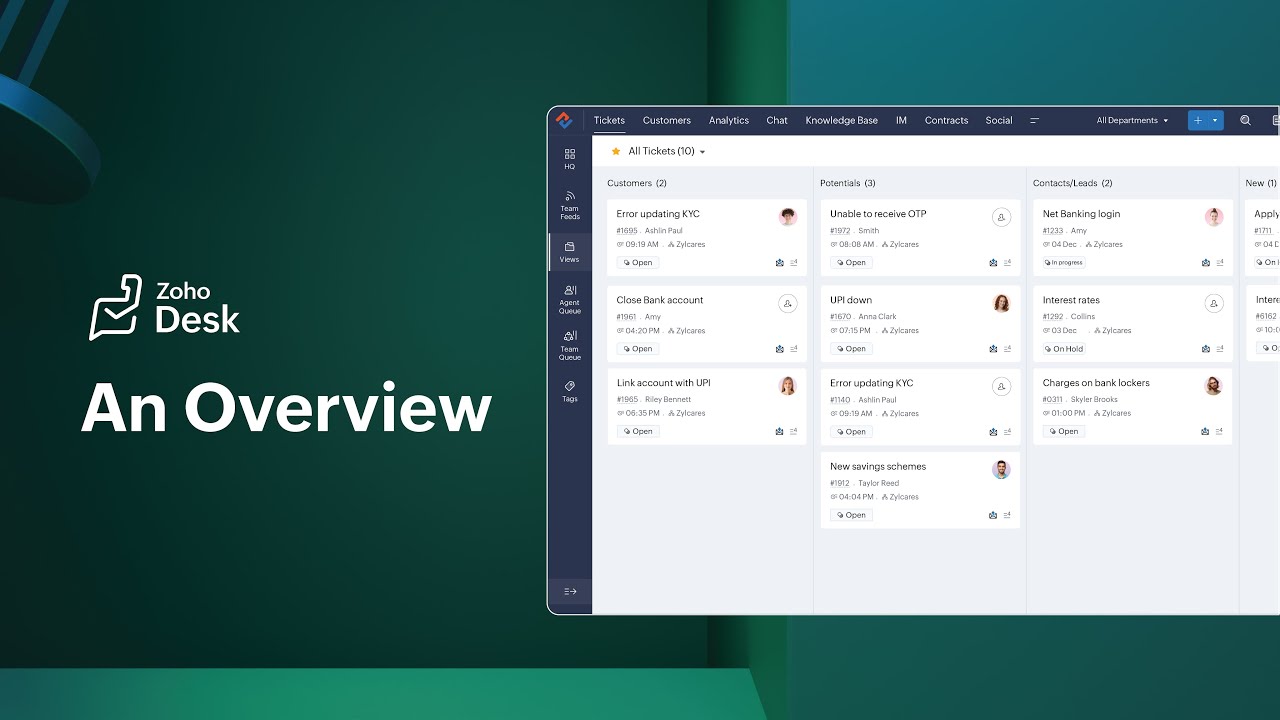
▶ Watch the video: Inside Zoho Desk: Product Overview (Zoho Desk)
Core Zoho Desk features
Omnichannel ticketing
Bring email, web forms, chat (via Zoho SalesIQ), phone and social messages into one queue. Agents reply from one screen no matter where the request came from.
Departments and teams
Separate support, billing, technical and sales enquiries into departments, each with its own agents, rules and help center content.
Assignment rules
Route tickets automatically by round-robin, skills, load balancing, language or channel.
SLAs and escalations
Define response and resolution targets by priority or customer tier. Zoho Desk escalates tickets automatically before an SLA is breached.
Automation
Workflows, macros, canned responses and blueprints remove repetitive work and enforce processes such as refund approvals or warranty checks.
Help center and knowledge base
Publish FAQs, how-to guides and articles on a branded self-service portal. Customers find answers themselves, and ticket volume drops.
Zia AI
Zia can suggest answers from your knowledge base, detect customer sentiment, highlight anomalies and summarise long ticket threads.
Reports and dashboards
Track first response time, resolution time, ticket volume by channel, customer satisfaction (CSAT) and agent performance.
Zoho Desk + Zoho CRM integration
When connected:
- Agents see deals, purchases and account owners while answering a ticket.
- Sales reps see open tickets before calling a customer.
- Escalations can create tasks for account managers in the CRM.
This shared context means customers never have to explain their history twice.
How to set up Zoho Desk: quick checklist
- Create departments and invite agents.
- Connect support email addresses (e.g., support@ and billing@).
- Add channels – web form, live chat, social, phone.
- Define ticket fields, statuses and priorities.
- Configure assignment rules and SLAs.
- Write canned responses for the top 20 questions.
- Build and brand your help center with key articles.
- Set up CSAT surveys.
- Build dashboards for team leads.
- Integrate with Zoho CRM and any e-commerce or telephony tools.
Key customer support metrics to track in Zoho Desk
| Metric | What it tells you | Good practice |
|---|---|---|
| First response time | How quickly customers hear back | Set SLA targets by priority |
| Resolution time | How long issues take to fix | Track by category to find bottlenecks |
| Ticket volume by channel | Where customers prefer to reach you | Staff channels accordingly |
| Reopened tickets | Whether fixes actually work | Review reopened tickets weekly |
| CSAT score | How happy customers are | Survey after every resolved ticket |
| Self-service views | How often the help center helps | Expand top-viewed articles |
How different industries use Zoho Desk
- E-commerce and retail: order queries, returns and delivery issues with order details pulled from the store.
- Software and SaaS: bug reports, feature requests and tiered technical support with SLAs.
- Financial services and insurance: policy queries and claims tracked through blueprints with full audit trails.
- Education: student and parent enquiries routed to admissions, finance or academic departments.
- Automotive and installation services: booking questions, warranty claims and product support for installers.
Migrating from Zendesk or a shared inbox
Moving to Zoho Desk is straightforward when planned well:
- Export tickets, contacts, organisations and knowledge base articles.
- Recreate departments, fields, statuses and SLAs in Zoho Desk.
- Import historical data and verify a sample of tickets.
- Redirect support email addresses and update web forms and chat widgets.
- Train agents on the new workflow and macros.
Customer support best practices
- Respond fast, even if you can't solve it immediately. Acknowledge and set expectations.
- Write your top answers once in the knowledge base and link to them.
- Measure what matters: first response time, resolution time and satisfaction.
- Review tickets weekly for patterns that reveal product or process problems.
- Brand your help center so it feels like part of your website.
FAQs
Is Zoho Desk good for small teams? Yes. Zoho Desk scales from a single agent to large contact centres, and it is included in Zoho One.
Can Zoho Desk replace Zendesk or Freshdesk? Yes. Many businesses migrate from Zendesk or Freshdesk to Zoho Desk for cost savings and tighter Zoho CRM integration. Tickets, contacts and articles can be migrated.
Can customers raise tickets by WhatsApp? Zoho Desk supports instant messaging channels, including WhatsApp Business, through its IM integrations (availability depends on your plan and region).
Upgrade your customer service
Spauly Digital implements Zoho Desk end to end — channels, SLAs, automation, branded help centers, CRM integration and migration from tools like Zendesk — so your customers get faster answers and your team gets its time back.
Need help with Zoho or your business systems?
Book a free consultation with Spauly Digital, a Zoho Authorized Partner. We design, build and support CRM, automation, website and digital marketing solutions for growing businesses.
Book a free consultationwww.spaulydigital.com · info@spaulydigital.com · 08145693491